
Comet is a Chromium-based browser developed by Perplexity. It’s pitched as an “agentic browser” – essentially a web browser powered by AI that can perform tasks on your behalf. When I heard it was now freely available, I had to try it out.
In this review, I’m going to share my thoughts on using the browser: what I liked, what I didn’t, and how I actually use it.
What is Perplexity Comet?
Perplexity Comet is an AI-powered browser that promises to help you navigate the web more intelligently. The idea is that instead of just browsing passively, you can ask the browser to complete tasks for you – gathering information, comparing data across sites, or performing repetitive actions. It’s part of a growing trend of “agentic” software that acts on your behalf rather than just responding to your commands.
What I liked
The agentic functionality worked surprisingly well when I tested it. I asked it to gather statistics from my CTNET and Medium sites, and it managed to pull the information together effectively. There’s something genuinely useful about having a browser that can navigate between pages and compile data without you having to click through everything manually.
However, I was quickly put off from using it this way. There have been reports of prompt injection attacks where malicious websites can manipulate the AI to hand over your login details. That’s a serious security concern that made me far more cautious about letting it interact with sites where I’m logged in.
What I didn’t like
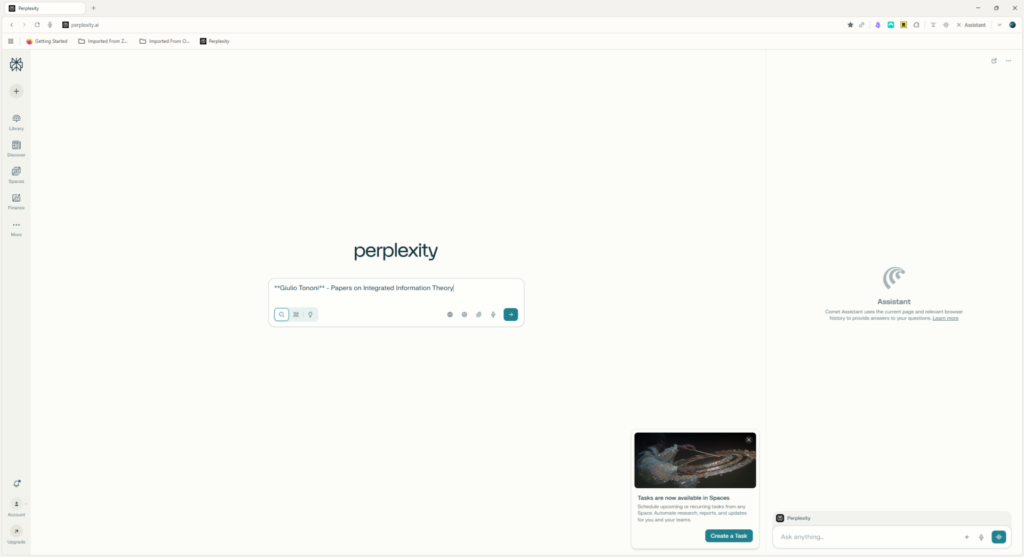
Honestly? I don’t think it’s a very well-designed browser. At least for me, it really went against my normal workflow, which has evolved considerably over the last year or two as I’ve moved from Firefox, via Vivaldi and Arc, to Zen. (I’ll include links to posts I wrote during this journey in the further reading section.)
The Comet browser feels old-fashioned. The interface isn’t intuitive, and I found it genuinely difficult to use for everyday browsing. The only thing it has going for it is the agentic functionality, and I’m not convinced that technology is quite there yet – especially with the security concerns I mentioned earlier.
How I’m using it
Despite my criticisms, I haven’t completely abandoned Comet. I still use it occasionally for fact-checking – particularly when I need to verify information in AI-generated notes or gather details from multiple sources quickly. I’ll open Comet and let it do the work. But it’s not my daily driver, and I can’t see that changing anytime soon.
Conclusion
As you’ve probably gathered, I’m not particularly impressed with Perplexity Comet. It’s an interesting experiment in what AI-powered browsers might become, but right now it feels more like a proof of concept than a finished product. The agentic functionality has potential, but it needs better security, a more intuitive interface, and a design that fits into actual browsing workflows.
If you’re curious about where browser technology might be heading, it’s worth trying out. But if you’re looking for your next daily browser, I’d suggest sticking with more established options for now.
Further reading
- Why I switched to Vivaldi from Firefox: Detailing the start of my browser exploration from Firefox to Vivaldi
- Why I switched from Vivaldi to Arc: Vivaldi to Arc, the second chapter in my journey to my current browser
- My Journey from Arc to Zen: A Browser Review: Arc to Zen, why I had to abandon Arc and migrate to Zen.
- How should I search the Internet in 2025? My thoughts on searching the Internet in 2025, which included a section on Perplexity itself.