

It has been a while since I reviewed Obsidian and I thought it was time to write a new review. There have been a number of major changes since my last review, including the introduction of Obsidian Bases, a web clipper, and Obsidian’s ability to display a webpage.
Is Obsidian still the note-taking app of choice, and if so, why?
What is Obsidian
Obsidian is a note-taking application which is ideal for use as a Personal Knowledge Management system, such as a Zettelkasten, with its built-in capabilities to link notes.
All the notes you create are stored locally on your computer inside your Obsidian vault, which is basically a folder. Your notes are saved in a format known as Markdown, a plain text file format. Obsidian allows you to format text and insert images within those files.
This means that if Obsidian were to disappear tomorrow, my notes wouldn’t be worthless, as they are contained within plain text files.
Obsidian is free for most users, but you might need to pay for features such as Obsidian Sync, which allows you to sync your notes between devices, such as a PC and a mobile, as I do. This synchronisation is encrypted, keeping your notes safe, but you don’t need to pay for this to use Obsidian effectively.
The application supports plugins which can have a massive impact on the capabilities of the base application. Some are known as core plugins, developed and maintained by the Obsidian team, while the vast majority are community plugins created by Obsidian users. Let’s take a quick look at each in turn.
Obsidian core plugins
Obsidian core plugins are developed and maintained by the Obsidian developer team. These plugins add functionality to the base application and need to be turned on in the settings.
I’m not going to look at each one in turn during this post, as I don’t necessarily use them all.
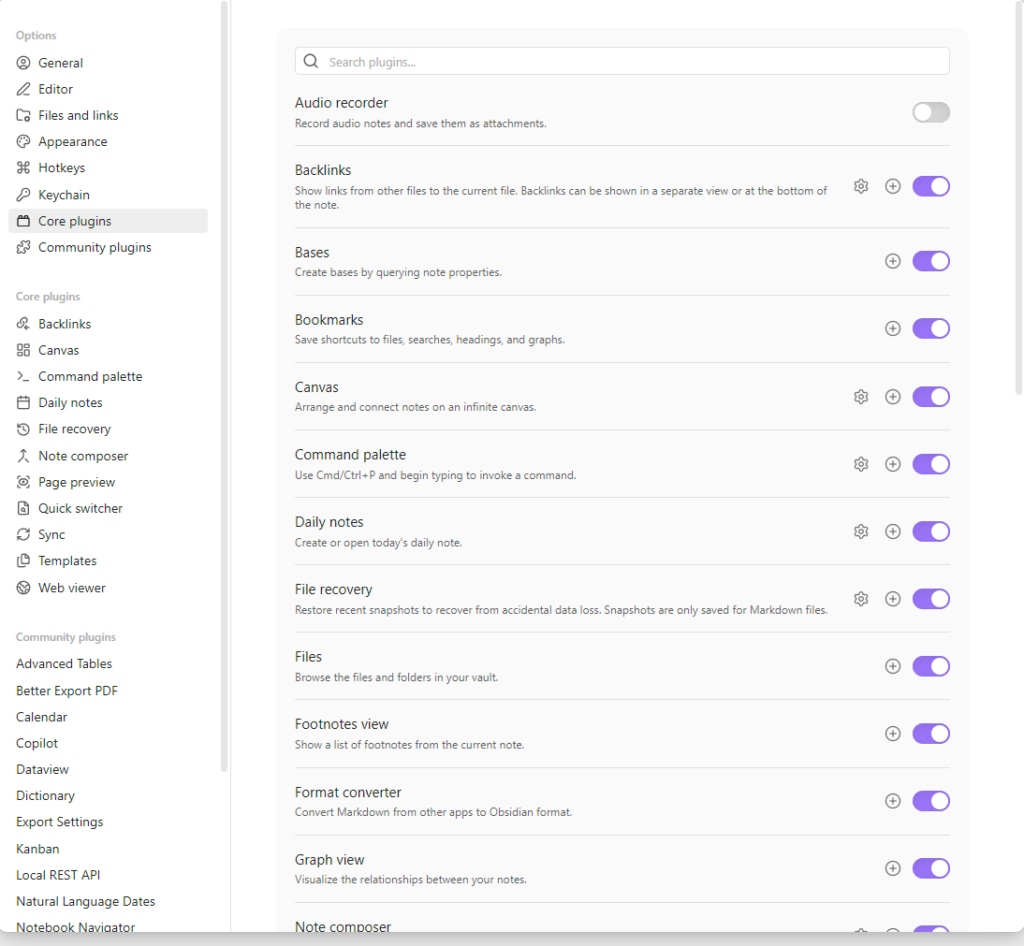
Backlinks
Until now, I didn’t even realise this functionality was considered a core plugin. It is a simple plugin that allows you to see a list of all files that link to the note you currently have open. This is potentially very useful when you are working on your permanent notes.
Bases
The newest addition to the core plugins is Bases, which adds database functionality into Obsidian using the various parameters contained within your notes. These parameters can be created by the application itself, such as the date and time a note was created, or added by the user, such as tags.
You can learn more about Bases in my first thoughts on Bases post.
Daily notes
The Daily Notes plugin allows you to create a note each day. I personally use it to keep a long-form journal in my Obsidian vault, a place for me to reflect.
You can learn more about my journaling habit on my post on journaling in Obsidian.
Template
The Templates plugin allows you to create a template which can then be used to generate the outline for future notes. It is often used in conjunction with the daily notes.
Web viewer
This is the most unusual plugin for a note-taking application. It allows you to display web pages within Obsidian. I probably use it weekly, often to check when a source for a literature note was published.
It is certainly not a replacement for your web browser.
Web clipper
Technically not a core plugin, but a tool supported and published by the Obsidian developers, the web clipper allows you to clip pages from websites and is available as a plugin for most popular browsers. When you find a page in your browser that you want to save as a fleeting note, use the web clipper to convert it from HTML to a Markdown note stored in your vault.
Obsidian community plugins
If I wasn’t prepared to go into too much detail with the core plugins, this is even more the case with the community plugins. At the time of writing there are 2,744 community plugins. Popular ones include:
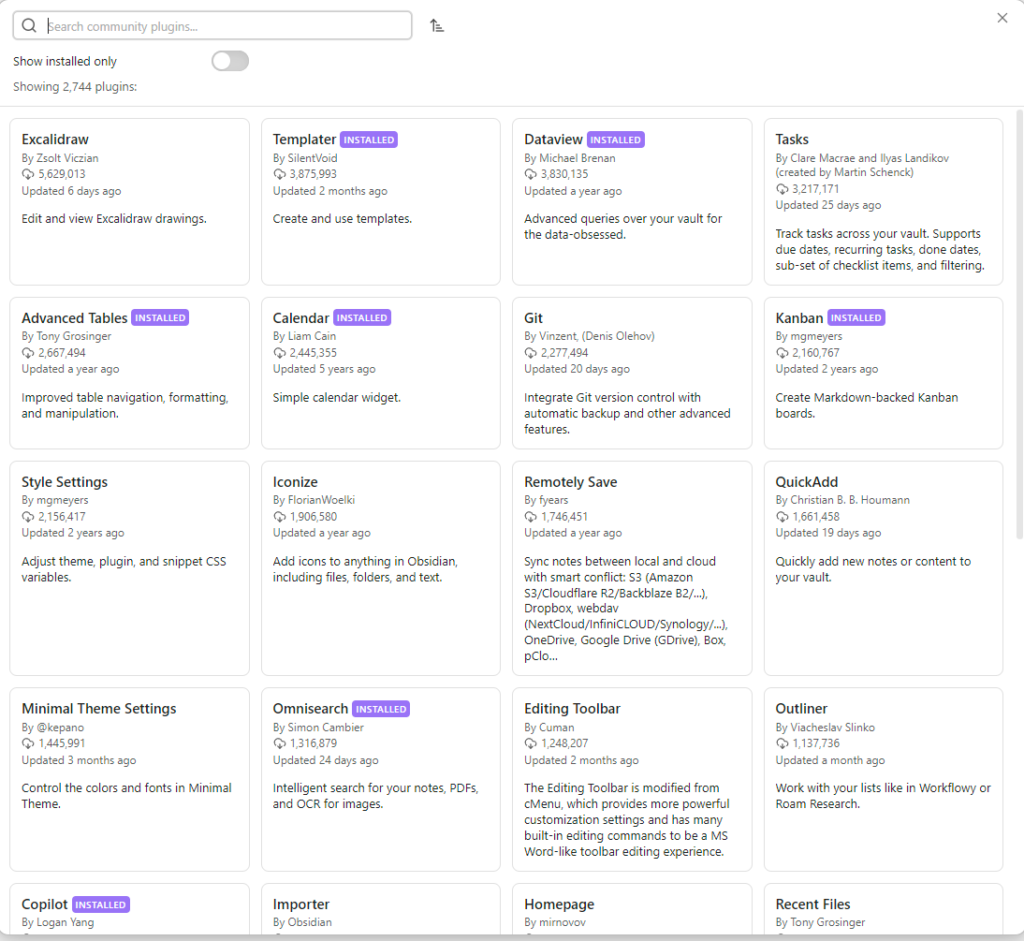
- Calendar: which provides a calendar view, useful with daily journal entries
- Dictionary: useful for someone like me who needs help with their spelling
- Co-pilot: an AI plugin for Obsidian
- Kanban: allows you to set up a Kanban view in Obsidian. I use it for content creation
- Periodic notes: allows you to create periodic notes not just for a day, but for a week, month, quarter, and year
- Readwise Official: allows you to sync digital notes from Readwise to Obsidian
- Templater: an improvement on the Templates core plugin
What makes Obsidian so good
Firstly, you own your notes, which are saved locally on your computer in Markdown. Markdown is a type of text file that uses characters to define how it will appear in a markdown application, which offers a great deal of future-proofing.
It is also such a versatile application, allowing you to use it the way you want. Want to use it for keeping notes? No problem. Want to use it as a daily journal? No problem. Want to use it for writing? Not a problem.
Use it as a combination of all of these and more? No problem. In my experience, Obsidian will grow with you.
Downsides of using Obsidian
The only thing I have really struggled with in Obsidian is my attempts to use it as a task manager, and that is in part due to it not being a productivity application.
I haven’t found this myself. But many other articles and users mention its steep learning curve. Some of this is down to the fact that you can use Obsidian in so many ways, and you have to work out what works for you. But that flexibility is also exactly why it’s one of my favourite applications.
The steep learning curve can be tackled with the help of useful content from the Internet, including many of those I have written, which you can access here.
Conclusion
For me, Obsidian is the best note-taking and PKM application available, due to the flexibility and freedom it gives you. For example, Obsidian doesn’t have built-in AI, unlike many of its competitors. Yet you can add AI tools via community plugins, and it works well with agentic AI apps such as Claude Code and Gemini CLI. So it is up to you whether you use AI or not, and when you do want to use AI.