
As part of my new quarterly review process I’m getting Claude to analyse my Obsidian vault to identify gaps in my knowledge and potential subjects that I could write on. But, it went far beyond that and it has given me plenty to think about.
Where did the initial idea come from
I was reading an article on how you could use the planner mode in Claude code to review and analysis your code in a coding project Use plan mode for safe code analysis. As I read it I wondered I could get Claude code to do the same with my Obsidian vault.
As I read the article on my tablet, I started a chat with Claude via the Claude app on my tablet. I shared a specific section on code exploration, and asked if I could do the same with my Obsidian notes such as identify missing gaps in my knowledge.
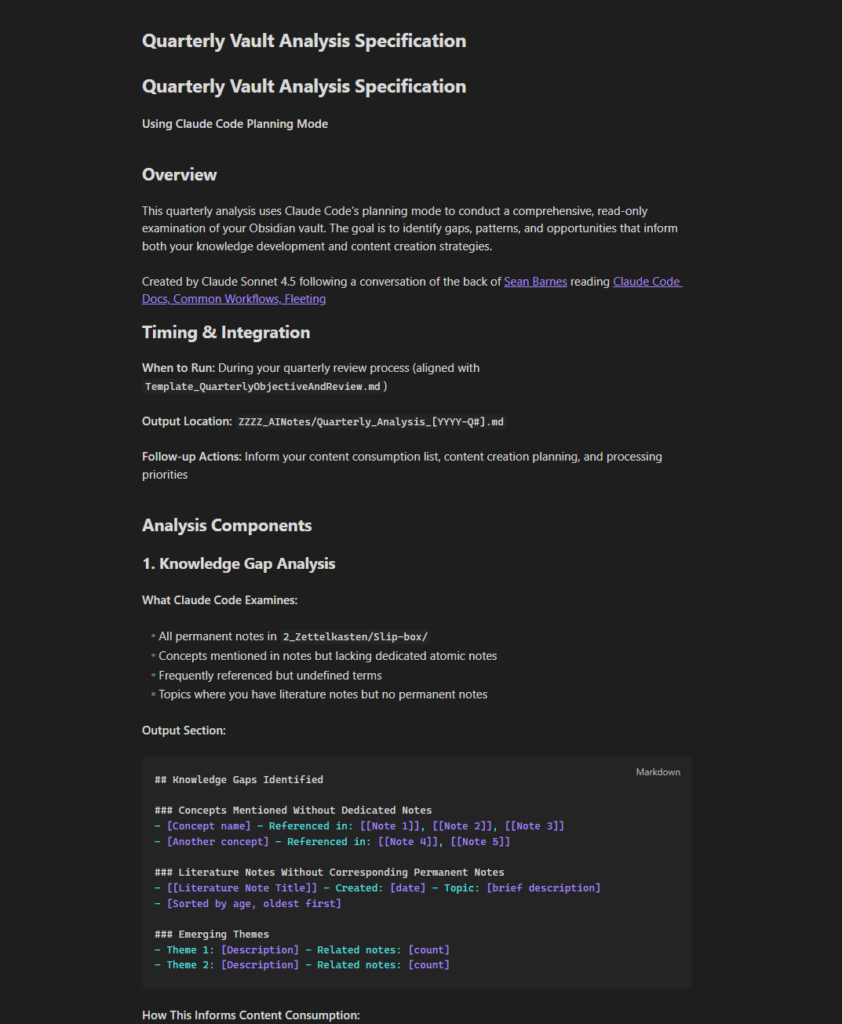
Off the back of this conversation myself and Claude generated a Quarterly vault analysis specification which includes details on how the note created by the analysis should look. This would give Claude context on what was required as it analysed my vault.
What prompt did I use to run the review
I ran this prompt, which Claude recommended in the vault analysis specification we drew up together. “Conduct quarterly vault analysis following the specification in ZZZZ_AINotes/Quarterly_Vault_Analysis_Specification.md.” This prompt was copied into Claude code, running on the Claude windows application. Claude code was put into planning mode and we were using the Claude Opus 4.6 model. I felt that it was quite a complex task and it seemed sensible to use the most powerful Claude model available at the time.
That specification note that Claude had created from my original query is carrying a lot of the weight as it is providing all of the context that the model will be using to create the review.
Claude started to spin up sub agents to explore different areas of my Obsidian vault. The entire process took about 30 minutes and off the back of it a comprehensive report had been produced and once I had accepted the plan, a new note in my AINotes folder had been created.
The output created by Claude
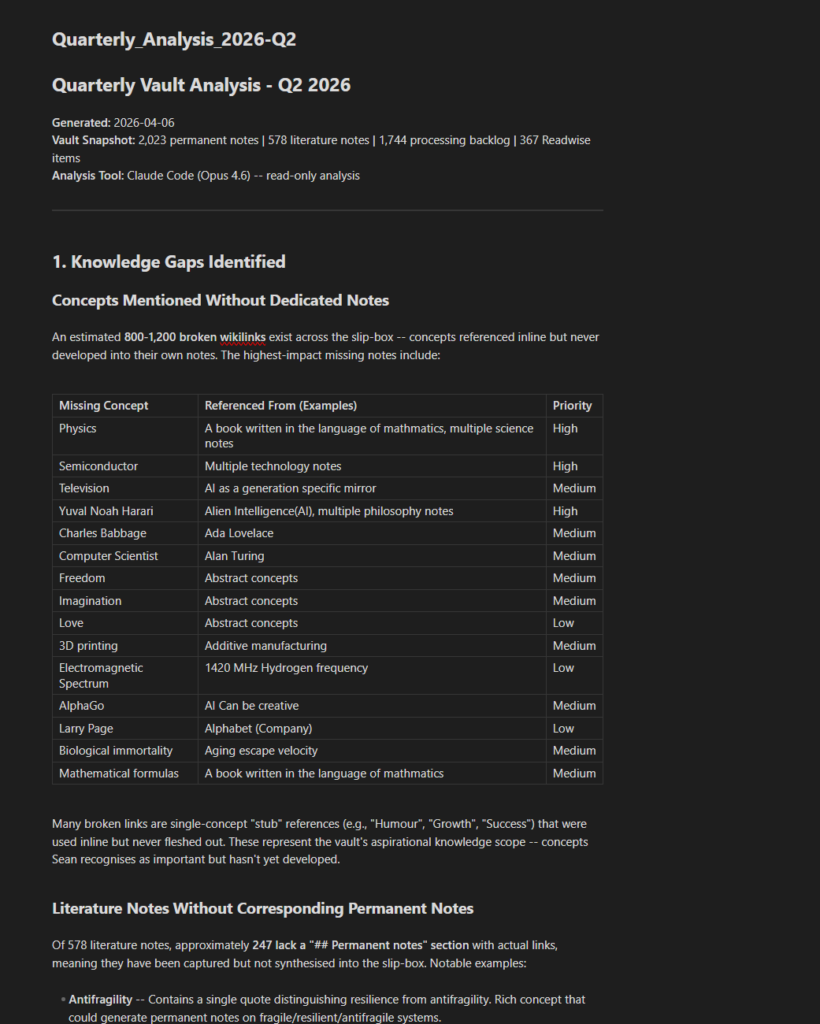
Section 1: Identified knowledge gap
The first section of the quarterly analysis report covered identified knowledge gaps and it consisted of a table of ideas linked to, but didn’t yet have a physical note. These act as placeholders representing a linked idea, concept, or entity. Claude was suggesting that I should create notes for these specific placeholders.
There were then a subsection on literature notes with none or few corresponding permanent notes. There are times that I create a literature note, but for some reason can’t find enough material to create a permanent note. This section also included literature notes with some permanent notes that Claude considered worthy of a revisit on my part.
It then went onto cover emerging themes in both my recent journal entries and notes which I had created.
Section 2: Connections Patterns
This section covers the connections in my Obsidian vault. As I use the Zettelkasten framework to manage my PKM, links are an important component and while I will create permanent notes without any backlinks, though this really is an exception to the rule.
Firstly we have some statistics on my vault and 91.5% of my permanent notes link to at least one other permanent note. I can live with that.
Claude then went onto suggest three permanent notes that I should look to link and even suggested notes that I could consider linking to.
Next up it covers my hub notes and notes I should consider splitting as they are no longer atomic notes.
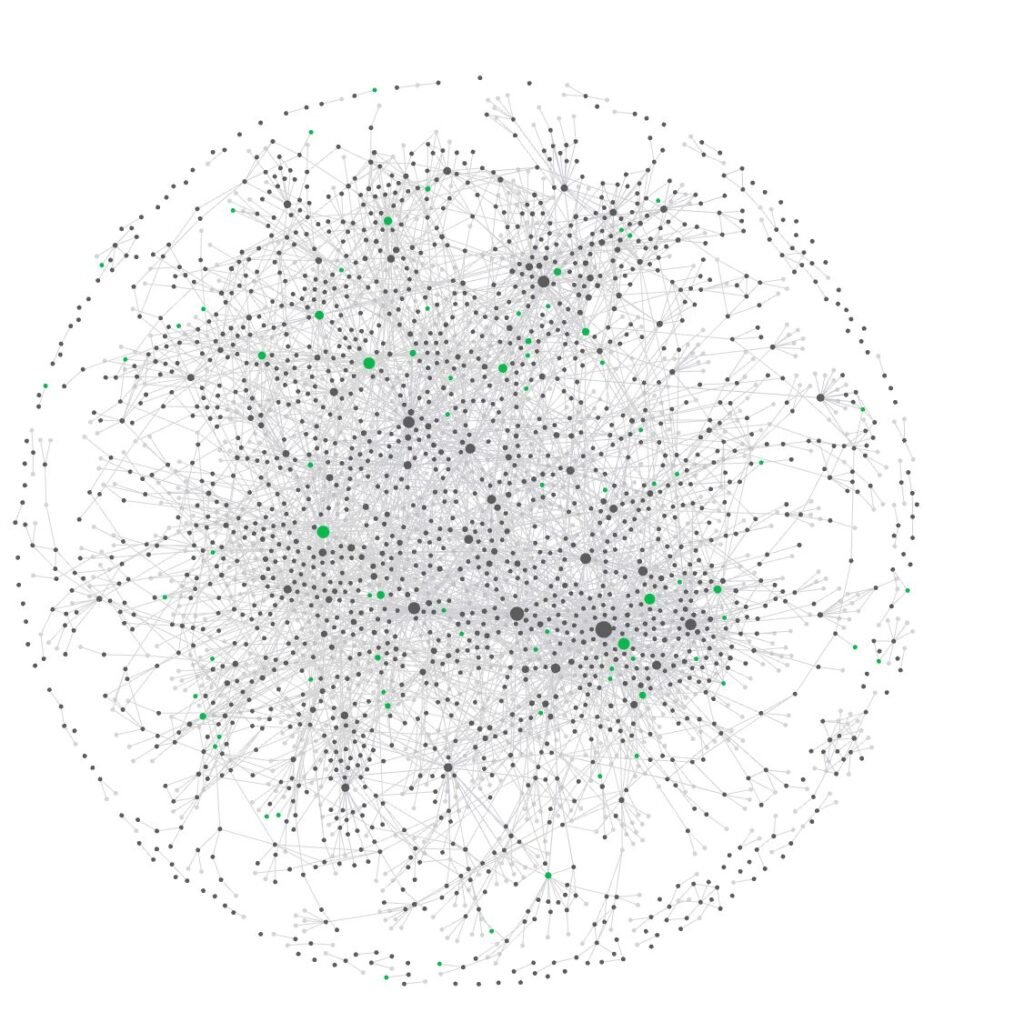
What really intrigues me is the section on disconnected clusters. My main cluster is unsurprisingly around AI and technology, with other clusters revolving around gaming, personal finance, health and pressure. I am a bit surprised that Claude didn’t highlight a cluster around philosophy.
Section 3: Processing pipeline status
My Obsidian vault contains an area that contains notes exported from Readwise and relate to highlights and notes taken in other digital applications. You can find out more about my PKM stack in the linked blog post.
In reality my notes will go into a backlog and the ones I consider most important are processed into literature notes which in itself is normally a two stage process. Firstly I highlight and then I create a fresh literature note. The original fleeting note can then be archived in my archive folder.
One of its recommendations was to tag notes from Readwise this isn’t possible for all feeds through Readwise, but I have done it for the application which acts as my main source as Claude thought it would help it to categorise them in future.
It also identified that I have a bottleneck issue with my note processing system which will likely always be the case. But none the less one I have to manage.
Section 4: Map of Content analysis
A map of content acts as a gateway into your underlying Zettelkasten. Claude Code suggested that I used Obsidian bases to list any notes with matching tags. A process I had started, but never finished. I’m looking to take steps to resolve this.
It also noticed that I had created links to maps of content but had never created the files. It also suggested some new map of contents including productivity and personal finance.
Section 5: Content creation ideas
As a writer I wanted the report to include a section on content creation opportunities and Claude created a table of topics I might want to consider writing about based on the number of permanent notes.
As I have been using Obsidian for writing since around 2022 my writing also lives within my vault meaning Claude could access them and include them in the summary, given the depth of coverage in my writing.
The last column was a brief summary of potential opportunities based on what I had already posted and the notes I had in my vault regarding those subjects.
It then moved onto suggestions on recent insights that it thought I should consider sharing, such as a post based on the concept of Cognitive mirror syndrome that I have recently read an article about, which has some similarities to the concept of AI acting as a mirror on humanity or a PKM being a mirror on the individual who owns it.
The next table was gaps it identified between what I have published and my vault knowledge including suggestions on specific blog posts I should look to write to potential blog post series I should consider writing.
Some of these ideas are already in my content schedule either promoted from my idea backlog, or created off the back of these ideas.
While series ideas will be explored separately through other conversations with Claude which will ask the AI to create a layout for the entire series.
Section 6: Workflow observations
This section contained stats regarding my workflow and the type of notes currently awaiting processing in my vault.
According to Claude, one of my biggest issues is that over 91% of my permanent notes are missing tags. Personally I don’t think it is that big an issue even though I have recently started tagging my permanent notes it wasn’t something I had previously done unless there was an obvious tag. Besides, I can tag those notes the next time they resurface for some reason.
Report recommendations
The final section of the report was really made up of two parts.
Recommendation and content consumption list
It identified four areas that I should learn more about these were.
- Fill critical gaps which consisted of recommended reading in three areas which included further reading on what is knowledge, Intersubjective reality and Exponential technology. With books, articles and essays recommended by Claude.
- Deepen existing knowledge. This section covered willpower, rest and the philosophy of technology.
- Explore emerging themes within my permanent notes. AI and cognitive off loading, context engineering, AI and creativity.
- Research for content creation preparation which included suggested topics I might want to read for content I was planning to release in the next few months.
System Health recommendations
This section contained suggestions on how I could improve the health of my Obsidian vault.
Critical address this quarter
- Add base views to all Map of Contents
- Fix the spelling of the Artificial Intelligence tags
- Look to improve the processing of my backlog
Important address within 2 quarters
- Create the Productivity MOC
- Populate permanent notes with tags
- Audit permanent notes for non-atomic notes
Nice to have
- Consolidate tag variants
- Add more permanent note links to my journal. Personally I won’t worry about this too much as I should only do it when it’s relevant
- Tag untagged backlog items for topic based processing. Again I doubt I will worry too much about the notes in my vault, but I’m starting to add tags to any notes I process in my Readwise Reader app.
Conclusion
I have found this summary to be really useful, but it did take me over my token allowance and it looks like it cost about £7.00 extra. But, I think that was money well spent.
As I now have some direction on what content I should look to consume within the next few months and an indication of what content I can write most effectively with the knowledge I already have while giving myself an idea on where I should look to do further reading to most effectively use the time I have for reading and working on my notes.
To keep up to date on our latest content sign up for our monthly newsletter here.
Future reading
- Claude Code Docs, Common Workflows: The Claude documentation that gave me the initial idea to run a quarterly review of my vault each quarter
- Introduction to the Zettelkasten system: My Introductory guide to the Zettelkasten method which I mention a few times in this post
- From Information Overload to Knowledge Powerhouse: Building Your Personal Knowledge Management Stack: My post on how I have created a PKM stack using Readwise and Obsidian
- Getting started with Obsidian bases and properties: Here is my guide on getting started with Obsidian bases which I mention in this post.
- Using Obsidian for my writing: In this post I explain why I made the decision to use Obsidian for my writing
- Beginners guide to permanent notes: I mention the concept of permanent notes which are part of the Zettelkasten this linked guide will introduce you to the concept further