
Since my last update on how I have continued to using Claude alongside my PKM hosted in Obsidian How I use Claude with Obsidian: My PKM Workflow (Pt2).
In this update I want to share my experiences of using the new Fable model to carry out my second vault review. How I have used Claude to improve my blog posting process. And last but not least how it has helped me to manage the number of notes coming into my system.
Second review of my vault using Fable
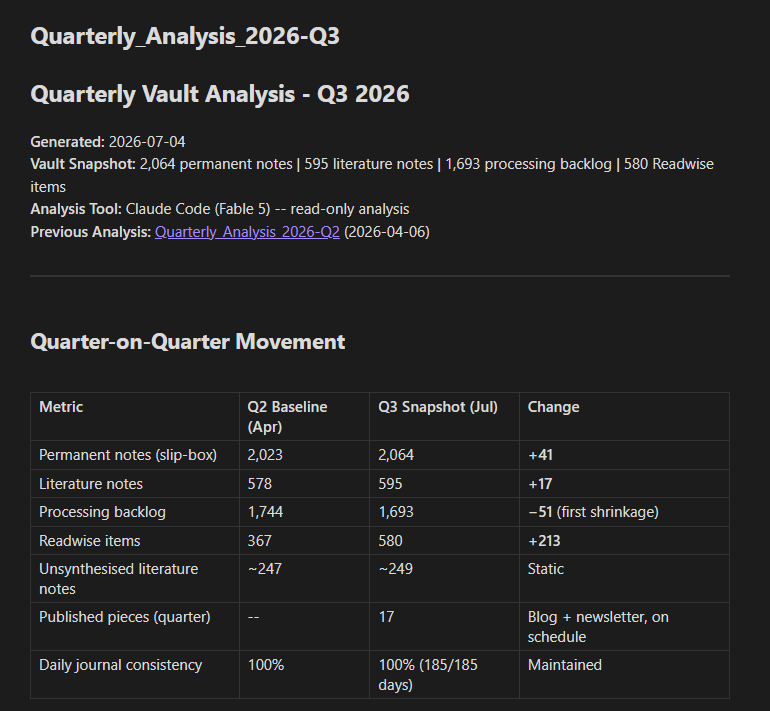
At the start of July I ran my second quarterly review of the vault and I decided to try Fable instead of Opus, which I had used during the first run.
The first thing I noticed was the speed. I didn’t time it, so I only have my own perceptions to go by, but it seemed to be significantly quicker than when I had previously run it. I’m not sure how much of this was down to the new model and how much was down to the fact that Claude had already carried out a review.
One of the things I really liked was that it carried out an assessment of my activities based on the last review, and even did a comparison in status. It picked up on a different way I was currently working with my notes and was able to comment on how it appeared to work. This seemed to indicate how effective giving AI access to your vault can be in providing it with the right context.
Improving my SEO and marketing skill
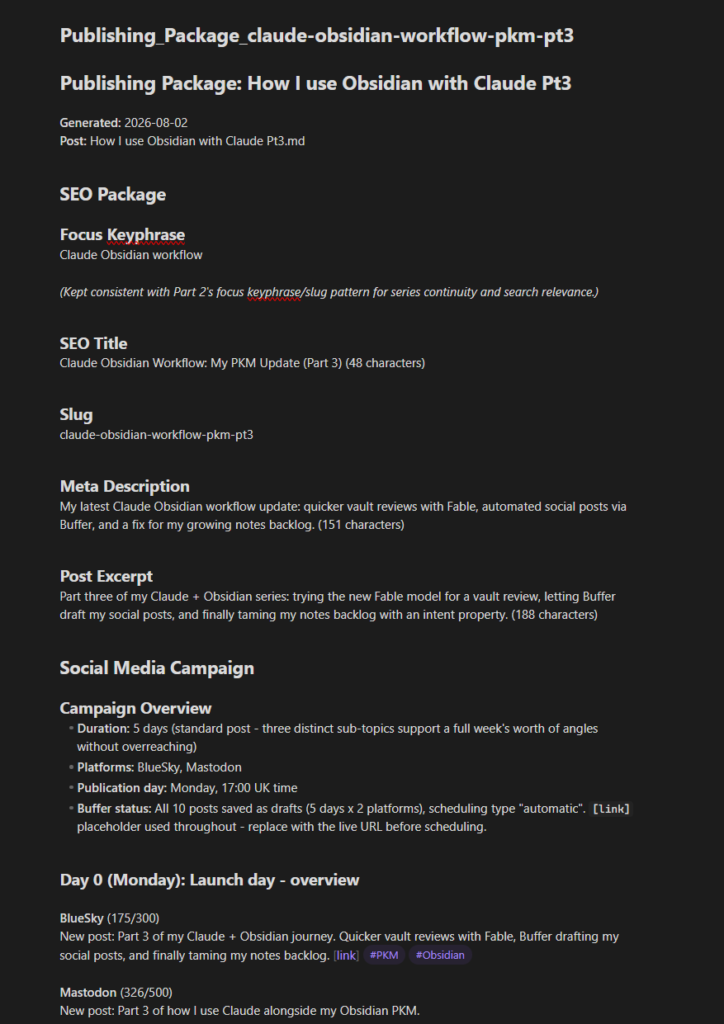
I had created a skill to help me create an SEO and social media strategy for the publishing of my blog post. It’s a task I used to do for myself, but not one I was particularly good at, and not one I’m interested in developing skills in.
For a few years AI has been helping me with this, from Obsidian plugins such as Copilot to the first Claude Code skill, which created an Obsidian note containing metadata for the various sections of my WordPress post, to draft social media posts for me to copy.
This was working well, but the cherry on top of the cake was to come when Buffer introduced an MCP server. I worked with Claude, and the skill now creates a draft of each social media post in Buffer. All I have to do now is read and, on occasions, edit the post in Buffer, and while editing, copy the link into the draft social media post.
Speeding up this job has freed up more time for me to spend on the things I enjoy, such as writing or working on my notes.
AI helps me to improve the management of incoming notes
As I have mentioned before in my posts From Information Overload to Knowledge Powerhouse: Building Your Personal Knowledge Management Stack, one issue with managing any PKM is the filtering of notes into your system, and from time to time you have to tweak the system to help keep it under control. I did this during the last few months.
Obsidian might be the brain of my PKM, but the nerve centre is Readwise, which connects highlights from various digital sources such as Kindle, Snipd and Readwise’s own Reader app. These are then imported into Obsidian via the official Readwise community plugin for Obsidian.
The Readwise side of the equation works well. The problems, when they arise, are often what to do with my notes in Obsidian.
I shared with Claude my last process, which I had been using since the new year, which consisted of keeping a backlog of notes. And each week I added new notes to my queue of notes for processing. But the backlog continued to grow.
Claude suggested setting up an intent property in the notes metadata which could have the following values:
- synthesise: A note should be processed into a literature note in my Zettelkasten.
- library: A note should be kept to refer to at some point in the future.
- reference: A source note from which a literature note has been created.
- archive: The note is no longer required, but isn’t deleted as it could become useful again at some point in the future.
For the moment this has removed the tension as I no longer feel the need to process my notes.
To be kept up to date on my most recent content, subscribe to my monthly newsletter.