
In many ways, I don’t feel I’m in a position to write this, as I’m still in the trenches trying to figure it out for myself. However, I realised that as I’m at the start of my journey, I’m actually in the best place to write it, as I’m truly at the start of this journey. This is why I’ve chosen this title.
We live in an age of information overload, and this is likely only going to worsen due to the ease of generating new content, especially with advancements in AI technology.
I’ve argued in other blog posts that having a Zettelkasten can help us protect and even extend our cognitive abilities. The same could be true for AI if used correctly.
However, AI is a double-edged sword, as some research suggests it could also have negative cognitive impacts. Yet, the same was true for reading/writing, the printing press, and even the World Wide Web.
In this post, I want to share my current thinking on how I intend to develop an AI-powered research assistant and introduce a framework I’m currently working on, which I will cover in full in another blog post. I also want to share my current processes to give you some ideas on how you can use AI to develop your own research assistant.
The Foundation: My Personal Knowledge Management (PKM) in Obsidian
The foundation of any AI-powered research assistant will be my Personal Knowledge Management (PKM) system hosted in Obsidian, which is made up of two parts: my Zettelkasten and my digital journal.
I will quickly summarise both now, but will link to other posts in the further reading section where you can discover more about my Zettelkasten and my daily journal.
My Zettelkasten
My Zettelkasten in Obsidian contains two distinct types of notes:
- Literature notes: Contain information on the source material and notes taken from it.
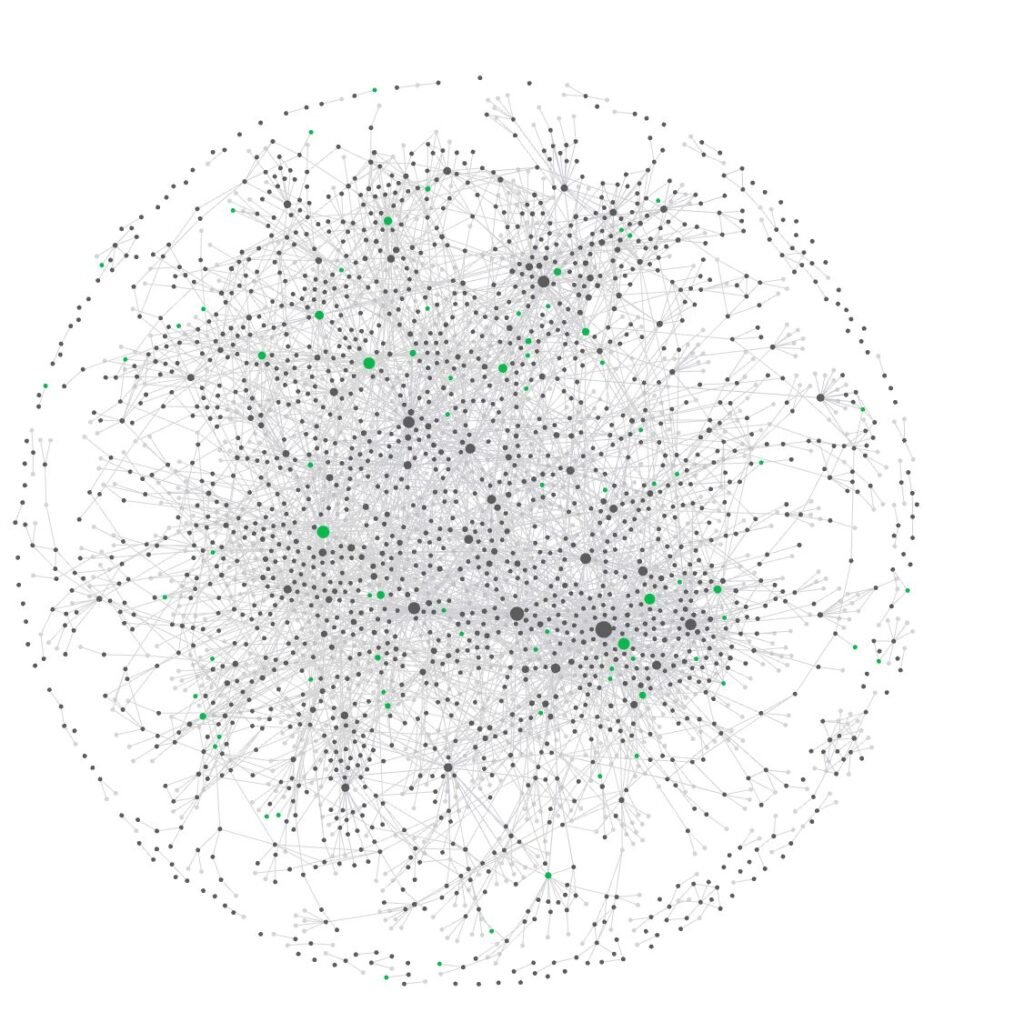
- Permanent notes: Created from either a literature note or from my own ideas. Each note is atomic, focusing on one distinct thing and linking to any other related notes, thereby creating a web of knowledge.
It is this web of connections that provides the power to the Zettelkasten.
My Journal
I have been keeping a daily journal for around four years and have started keeping weekly, monthly, quarterly, and annual journals in Obsidian for just over a year. I used to keep my weekly, monthly, and annual journals outside of Obsidian. It might be worth bringing those journals into Obsidian at some point, but that’s a story for a future blog.
At times, I capture thoughts and ideas, possibly in a physical notebook. That idea will then be transferred to my journal, and in some cases, I will even create a permanent note in my Zettelkasten for that specific idea. This idea will link back to the journal entry to provide context and will also be linked to any other related ideas.
Content I Produce
For the last couple of years or so, all my blog posts have been written in Obsidian. This is a resource that could be useful again in the future.
Integrating Artificial Intelligence into My Workflow
A few years ago, I explored a Large Language Model (LLM) application called Personal AI. The basic concept was that each user could train their own personal AI assistant. I liked the concept and tried to teach the model. The technology wasn’t quite there yet, and there was some effort involved in getting notes across from my PKM vault.
That was quickly replaced when I discovered a community plugin called Smart Connections, which brought LLMs into Obsidian. This was eventually superseded by Obsidian Copilot, which I continue to use today.
It’s incredibly helpful to have a Large Language Model within my vault. It allows me to have conversations with my notes, journal entries, and blog posts, and it has already started to be integrated into my workflows. One example is that Obsidian Copilot researched my notes and ended up laying out this blog post.
I have also explored using Google NotebookLM. While I like the application, I don’t think it integrates into my workflow as well as I’d like, so it will likely be an application I use from time to time. I have experimented with many common LLMs such as Google Gemini, Claude, ChatGPT, and Perplexity. While they don’t have direct access to my vault, they can work well in the right situation with the appropriate context. They have proven to be quite effective at times as a research partner.

Future Integrations I’m Exploring
Over the last few weeks, I’ve explored using MCP to connect both Claude on desktop and Gemini CLI with my Obsidian vault. I will explore this in a future blog post, and it has given me a lot to think about. However, their appearance has opened up future options. I like both the Claude and Gemini models, and as they either run on my desktop or in a terminal, they can access local files via a local MCP server, allowing them to access and update my Obsidian notes. Again, I’m still figuring out how all these tools will work together in this evolving system.
My Current Workflow: From Information Ingestion to Knowledge Creator
Obsidian sits at the base of the filter, receiving a continuous flow of information from Readwise, which acts as the command centre for my system. It collects highlights I make on various digital platforms such as the Kindle app, Medium, and Snipd. I also highlight web articles, YouTube videos, and other digital sources using the Readwise Reader app. All these various notes are fed into my vault for further processing.
Currently, a lot of this processing is manual, but AI helped me configure the current process, which we are testing and tweaking. These notes will be processed to create literature and permanent notes in my Zettelkasten before being archived.
Introducing AI into My Current Workflow
My Zettelkasten is ultimately a thinking space. One of the questions I’ve been pondering for the last couple of years is how to make use of Artificial Intelligence while retaining the essential friction of cognitive load, which helps me turn these notes into knowledge I understand.
I quickly identified three red lines:
- AI doesn’t write the literature notes!
- AI doesn’t write permanent notes!
- I add backlinks to permanent notes!
While adding backlinks, Obsidian Copilot suggests relevant notes, and I consider if any of those can be used as a backlink, as the AI might suggest a note I hadn’t initially thought of.
My Three-Level Strategy
One of the AI apps I enjoy experimenting with is Huxe, which can create an AI-generated podcast about specific subjects defined by the user. One of the podcasts I created was about PKM and using it with AI. During one of the episodes, it discussed how you could manage the risk of AI having a negative impact on your cognitive abilities using a two-tier approach. The one downside is that, unlike Snipd, you cannot easily take a note.
So, after breakfast, I rushed to my computer and asked Gemini CLI to carry out some research based on what I could remember. This strategy emerged from the research Gemini did for me, and the first draft came out of the follow-up conversation. A couple of days later, for some reason, I decided to share my note with Claude, and it even challenged me on how I had used Gemini. During the conversation, we improved it further. Last but not least, I have also reviewed our working document on my own, and I think we are in a position to start using it as a base for future experiments.
My AI PKM Assistant Framework Basics
The assistant is split into three different tiers. The document even suggests it ties in with core skills of AI literacy, and perhaps that is what we are starting to define with work like this, by even questioning how it should be used.
- Level 0: The Skill of Strategic Delegation
This level involves automating low-level cognitive skills that I find tedious, or at least carrying them out by AI. This includes things like tagging and backlink suggestions, as well as tidying and cleaning up source notes. - Level 1: The Skill of Critical Refinement
Use AI as a tool to summarise ideas as a first draft. It should always be considered a starting point, either for further conversation with the AI or as a basis for further research. On some occasions, it will be treated as a fleeting note, from which literature and permanent notes are created. It must always be considered critically! - Level 2: The Skill of Socratic Interrogation
At this level, we engage with AI in a dialogue to challenge your assumptions, explore alternative perspectives, and uncover gaps in your knowledge. The AI becomes a thinking partner to help me see weaknesses in my arguments and gain a fresh perspective on the subject we are discussing.
At each level, there are a number of proposed experiments, and I’m starting to look at how I can fit those into my current workflow.
Conclusion
The goal for all of us should not be to use Artificial Intelligence to make us more productive, but to improve our cognitive tools. That is what I’m trying to do with this framework. Why don’t you join me on this journey and share your own thoughts on this?
Further Reading
- Taming the Information Beast: How a PKM Can Save Your Sanity: Explores why I think Zettelkasten can help us to protect ourselves from information overload.
- Introduction to the Zettelkasten system My introductory guide to Zettelkasten
- Using Google Notebook LM for Research: A Personal Workflow Experiment An experiment on using Google Notebook LM for research
- From Information Overload to Knowledge Powerhouse: Building Your Personal Knowledge Management Stack My guide on building a PKM stack based on my own experiences of building one
- Obsidian co-pilot paid plan my experiences so far A post on my experiences of using the Obsidian co-pilot plan.